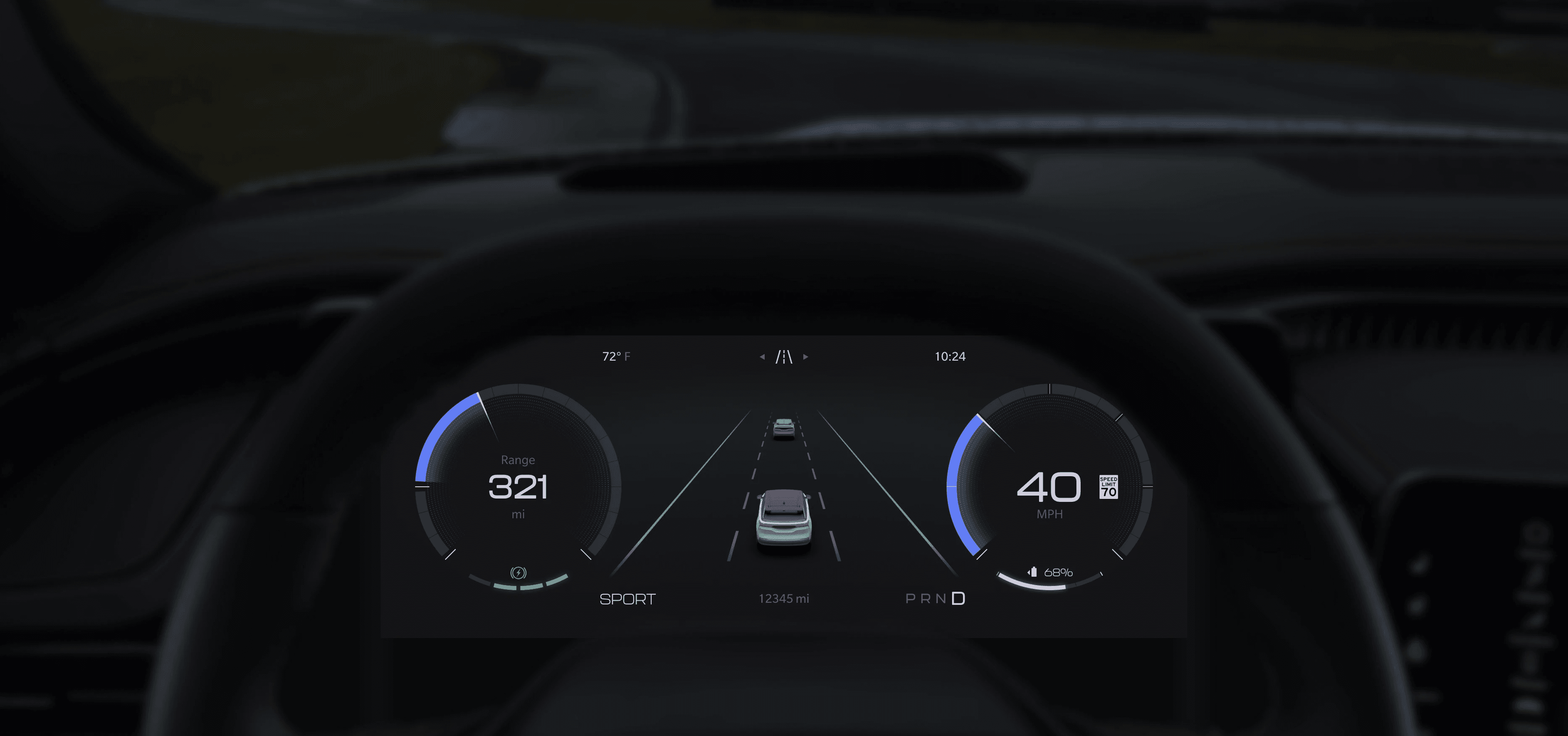
STLA CLUSTER
Role
Lead Core UX Designer
Interaction Designer
Timing
2021 - 2024
Parallel Teams
HMI Engineering
Ergonomics
Product Planning
Brand UX Design
Interior Design
Tools
Figma
Adobe Suite
Blender
VRED
Impact
PROBLEM
Instrument clusters are evolving from physical gauges to digital experiences — Stellantis has to get ahead.
Process
Outdated design practices
Legacy UI designs were built as raster images in Photoshop with no design system or global framework.
Strategy
Too many features with no content strategy
Legacy instrument clusters became a "trash bin" for product planners to place vehicle features that didn't fit anywhere else.
Design
UI was cluttered and inconsistent
Every designer worked alone to create one-off design solutions causing no unity or consistency even within brands.
RESEARCH
Research focused on diving into user behavior and market trends
Diary study & legacy feedback
Our design process began in 2021 as the Grand Cherokee L and Grand Wagoneer hit the market for the first time. We were able to analyze internal fast feedback reports and external reviews from J. D. Power and Consumer Reports.
Key Insights
"The instrument cluster graphics are too cluttered and may cause driver distraction"
via JD Power
"Messages take over the entire screen and appear too often"
via Consumer Reports
"I don't like it when my screen changes layout without my influence"
via Stellantis fast feedback study
Competitive analysis
Using online and in-person ride and drives, I conducted a comprehensive competitive analysis of all relevant vehicles designed with digital instrument clusters. I analyzed 30+ vehicles across 22 brands and distilled my findings into three major industry trends as of fall 2021.
01
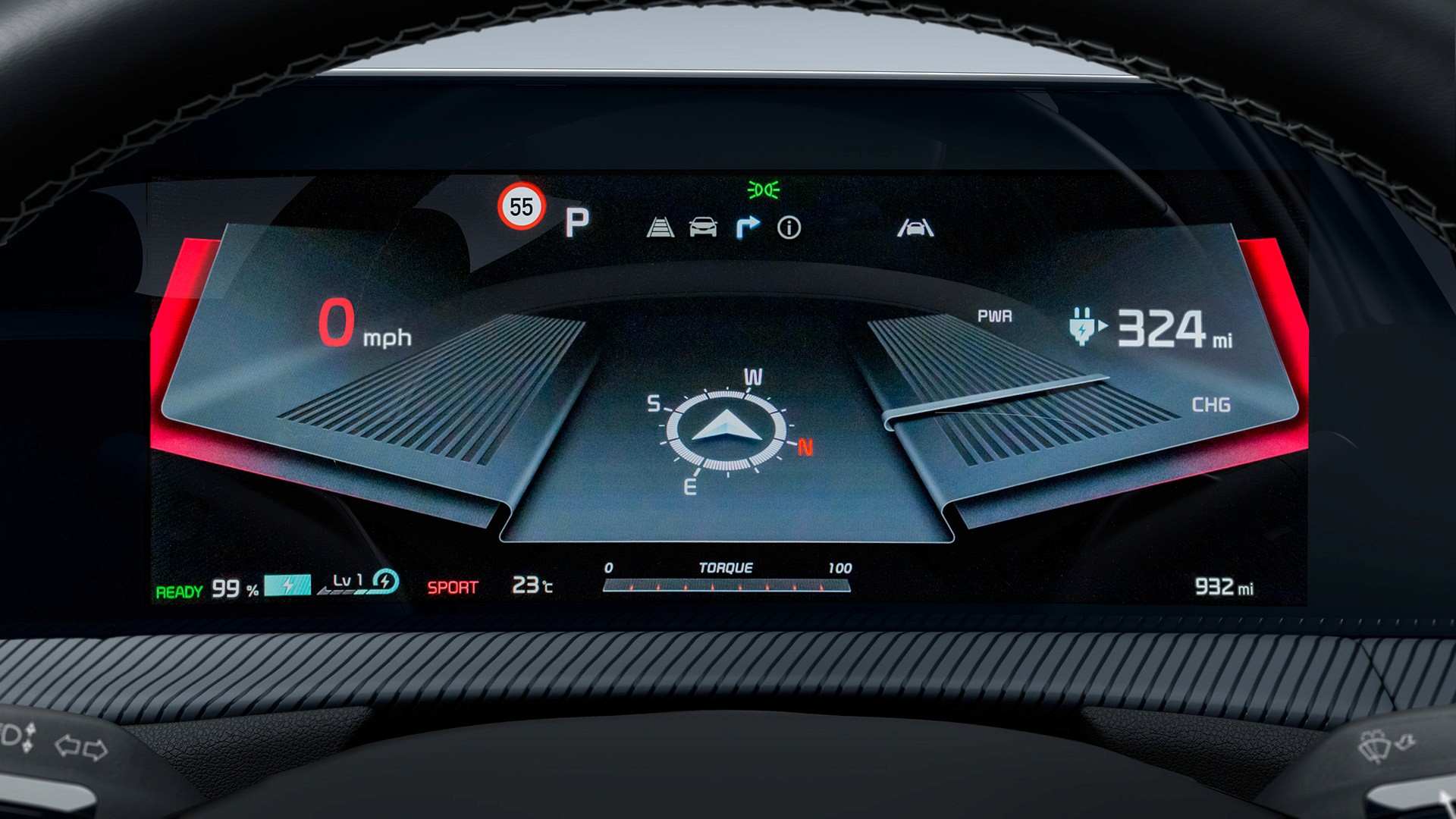
A transition from physical to digital
Skewmorphic visualizations were outdated as OEMs were embracing a cleaner visual aesthetic.
02
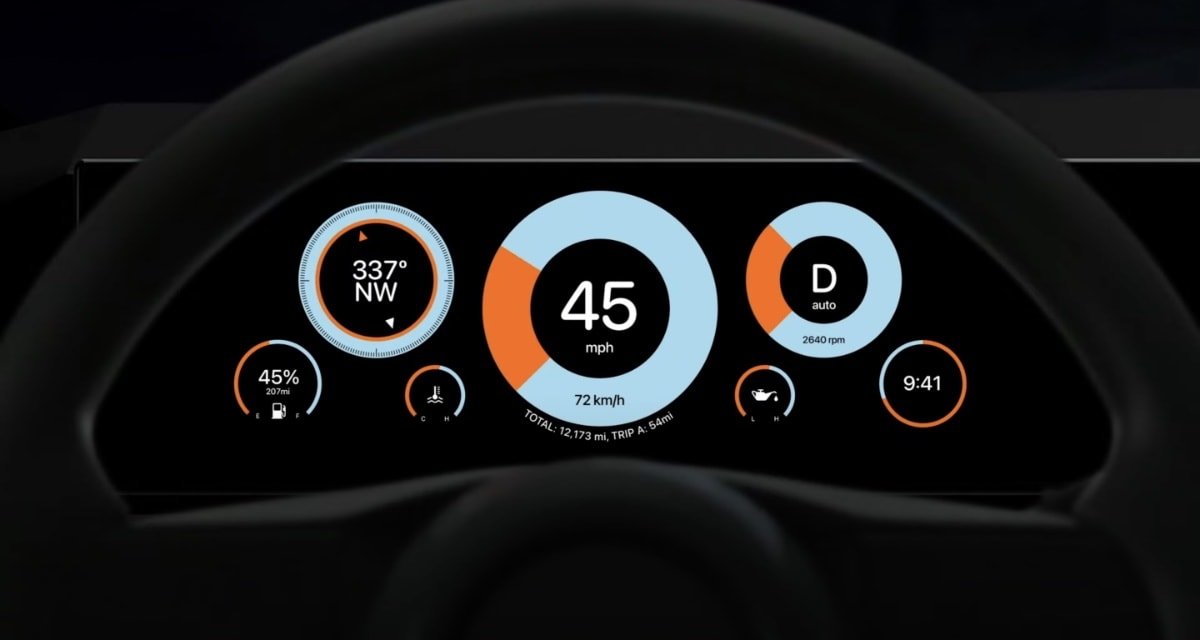
Modularity
OEMs with large brand portfolios were building modular display strategies that spanned across multiple brands and trim levels.
03
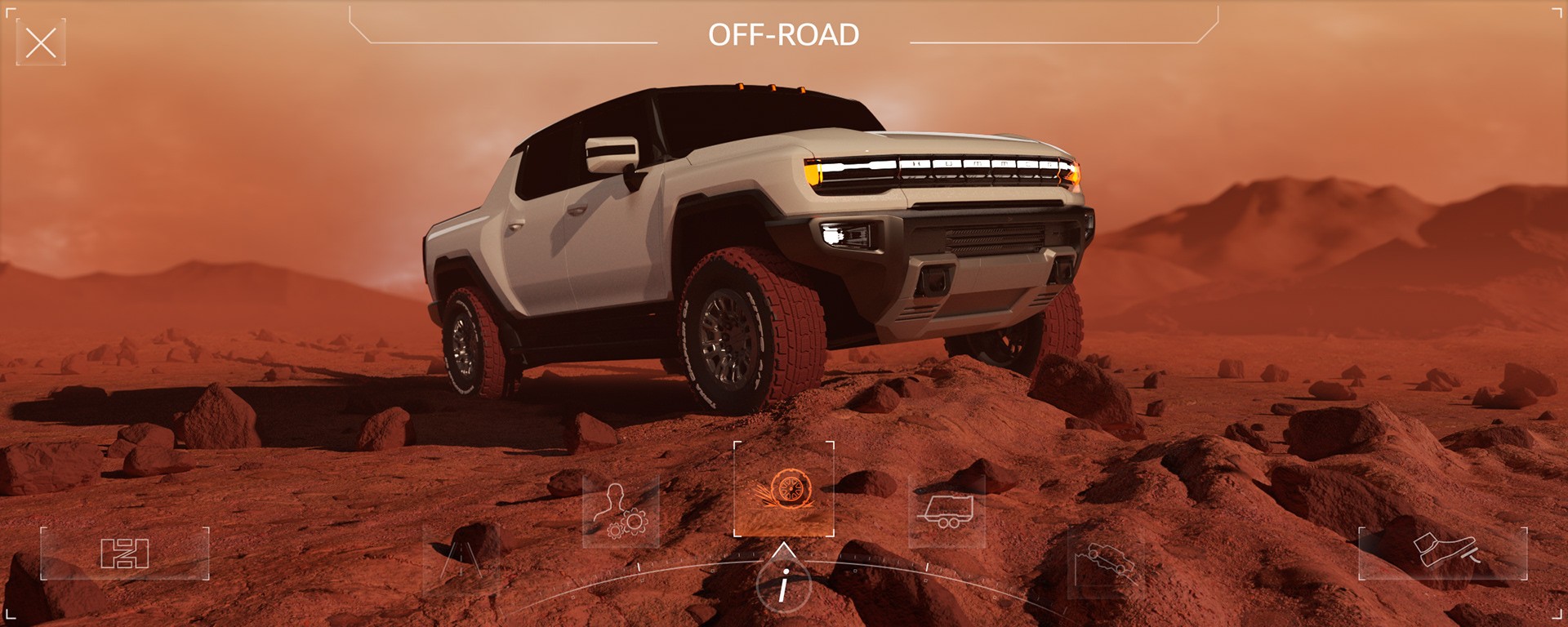
3D Visualization
Advanced and luxury competitors were utilizing live rendered 3D visualization to communicate complex vehicle functions.
Constraints
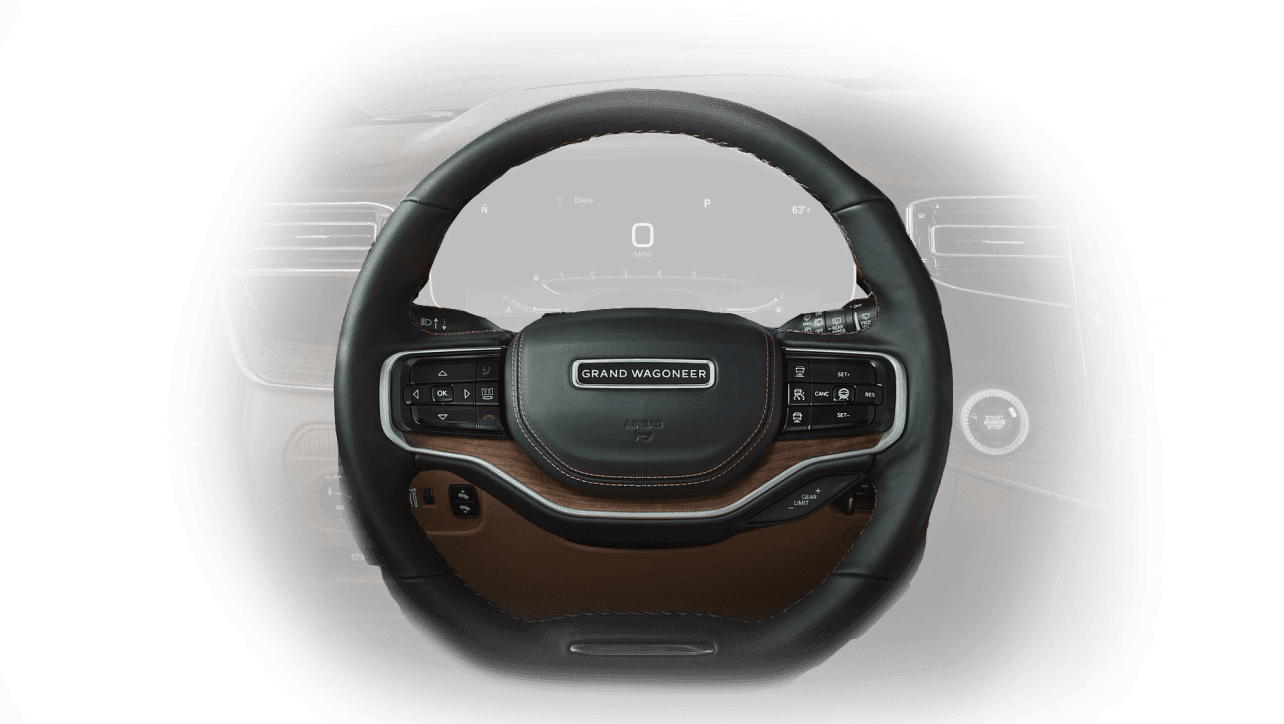
Pre-Designed Hard Controls
A majority of hard controls (namely steering wheel buttons) were already established and at design freeze when we adopted this project. We had to design an interactive experience with an existing button layout.
Solution
We negotiated with interior teams to remap legacy buttons to perform new functions that supported our interaction strategy.
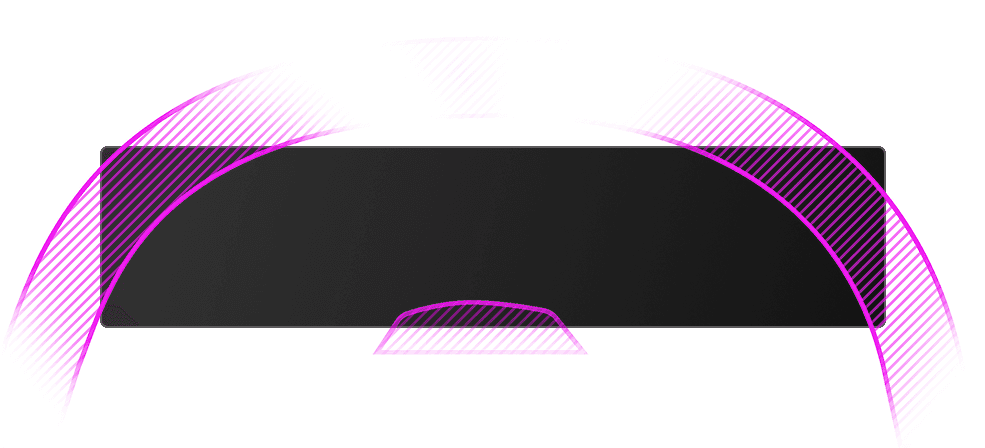
Interior Obscuration
Each vehicle interior adopting our cluster was designed with different shaped steering wheels, dashboards, and screen sizes. We lost up to 30% of usable screen real estate from the steering wheel and driver monitoring camera obstructing the driver’s view.
Solution
Stay in consistent contact with the ergonomics team to gather the latest interior design of each program. Develop a hierarchy of importance for feature visualizations. Place components of high importance in zones the least likely to be obscured.
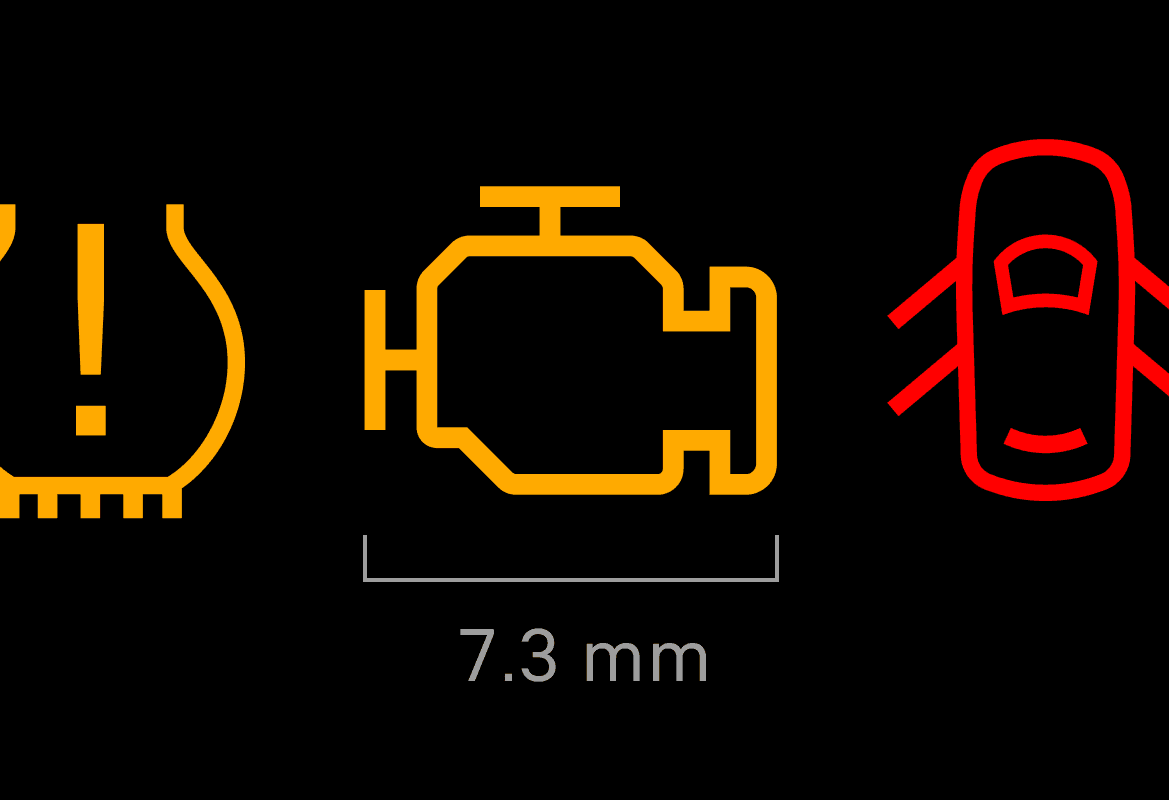
Regulatory Requirements
Every design decision was affected by NHTSA, EU, CAAM, and all other global automotive governing bodies. I had to adhere to minimum size/design requirements for ISOs (icons) while also ensuring functional grouping and proper spacing.
Solution
I built a Figma asset library that allowed me to tokenize minimum size requirements for specific visual components. We conducted weekly meetings with our regulatory officers and contributed to deliverable checkpoints in which every design was checked for compliance.
GOAL
Design an instrument cluster screen that is intuitive for new users, modular for brands, and easy to implement is software.
PROCESS
Building a new framework
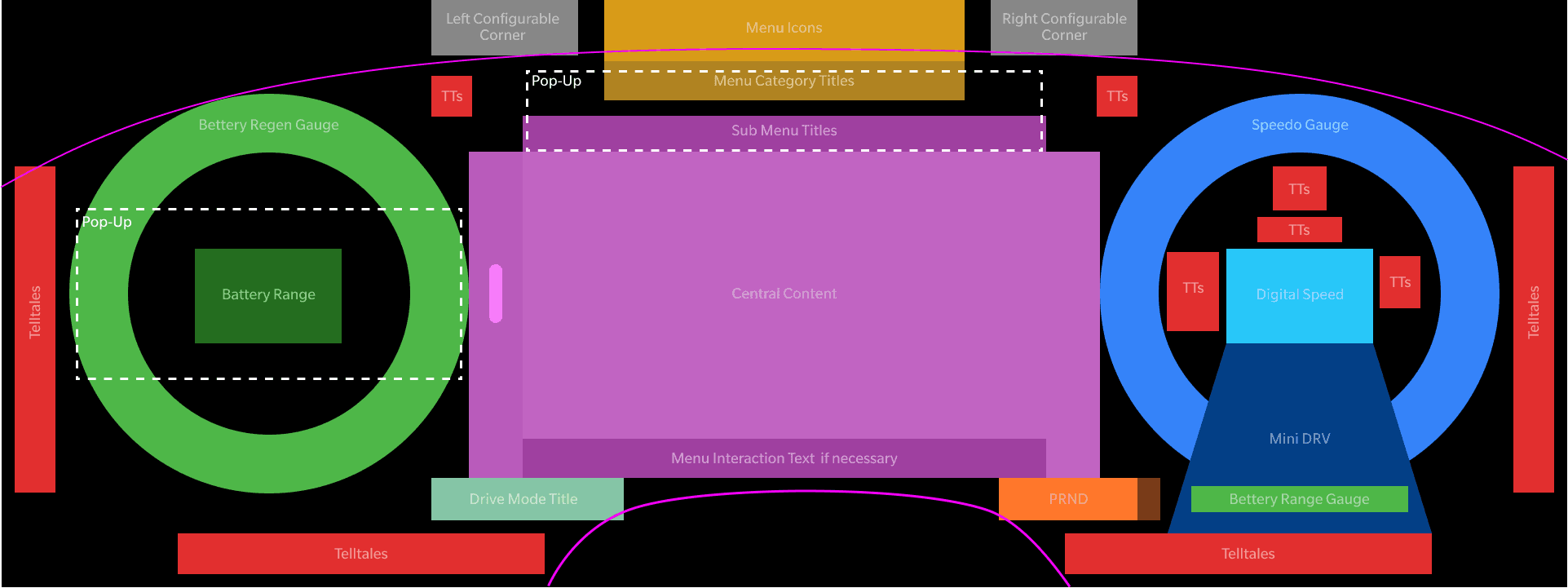
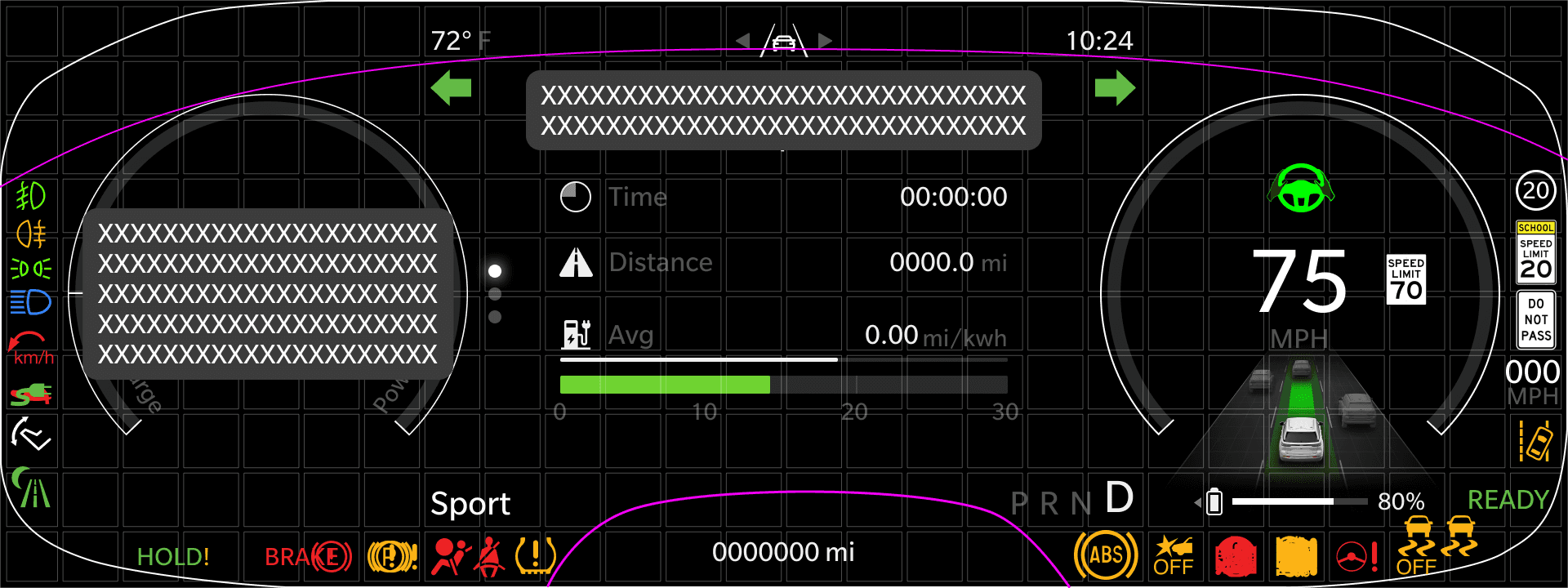
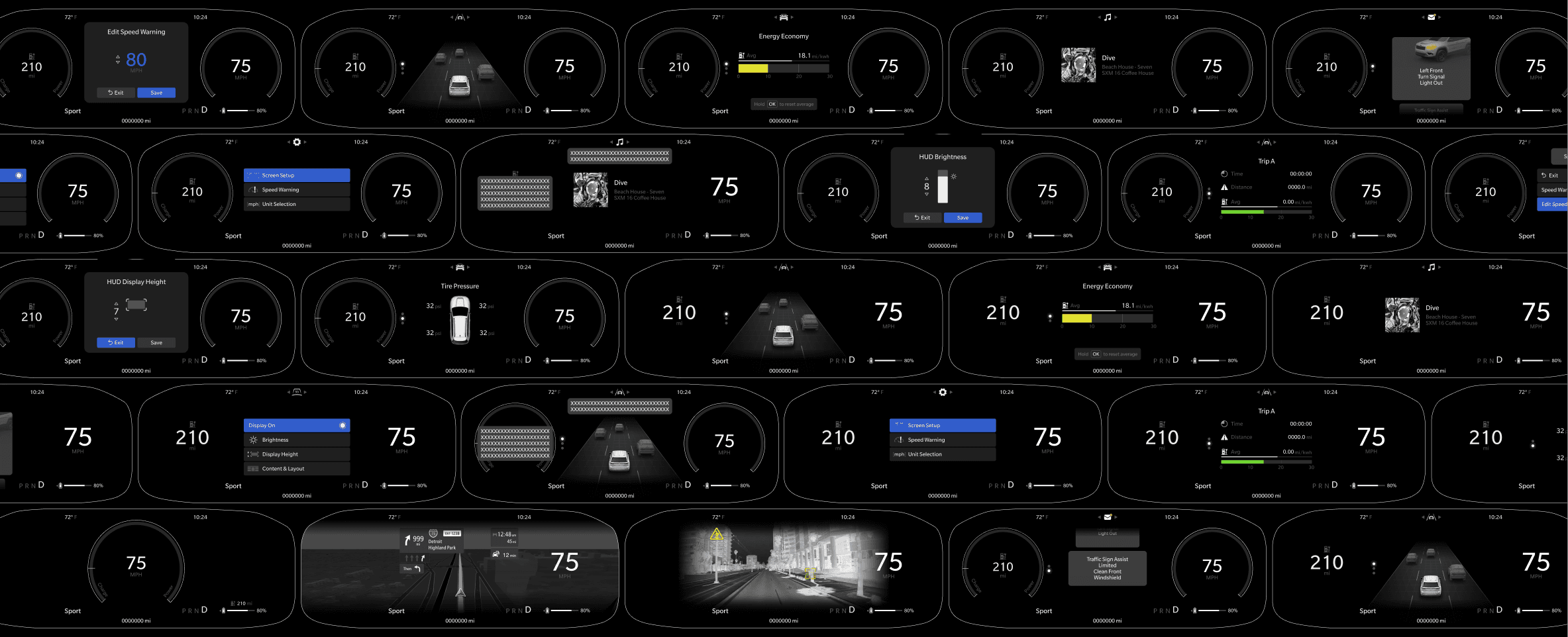
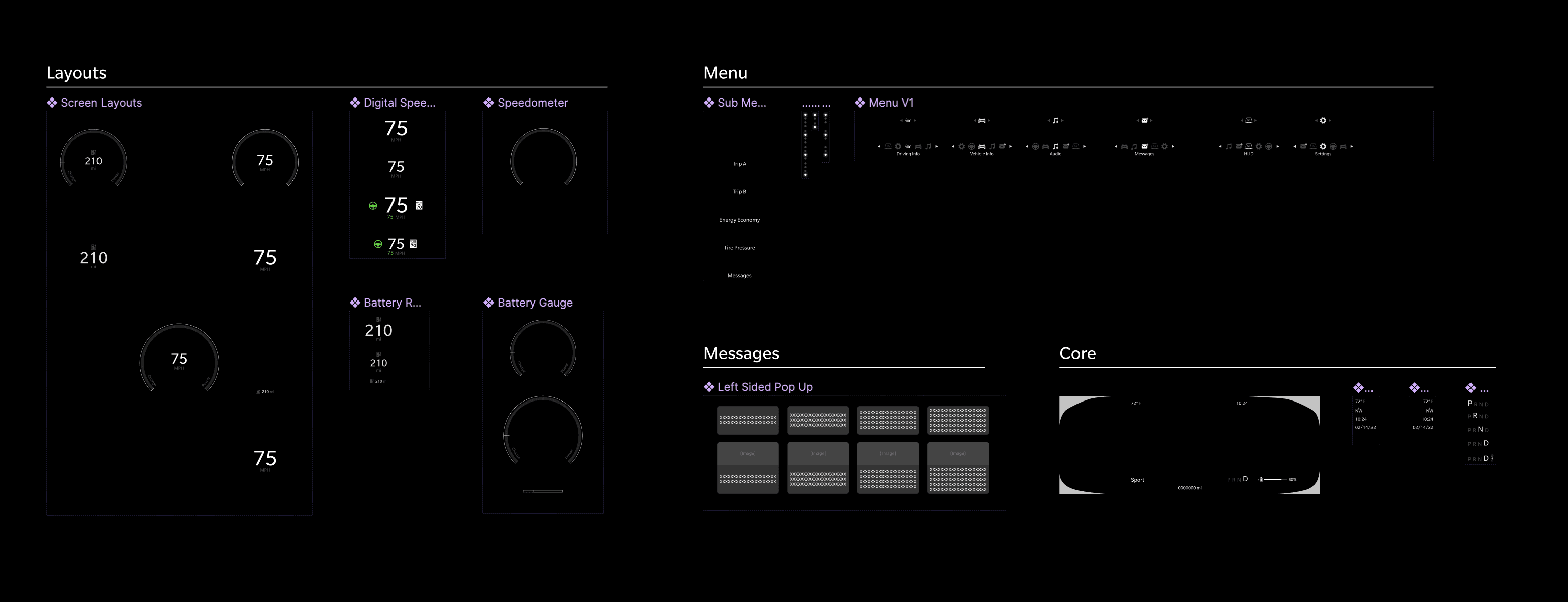
Our process began with building a basic framework and information architecture. After months of internal investigation and building connections with the right stakeholders, I was able to start building the screen layouts that users could select. I started by grouping feature information by basic function and importance of use. I then populated all the feature content into their respective categories with a focus on balance, hierarchy, and harmony.
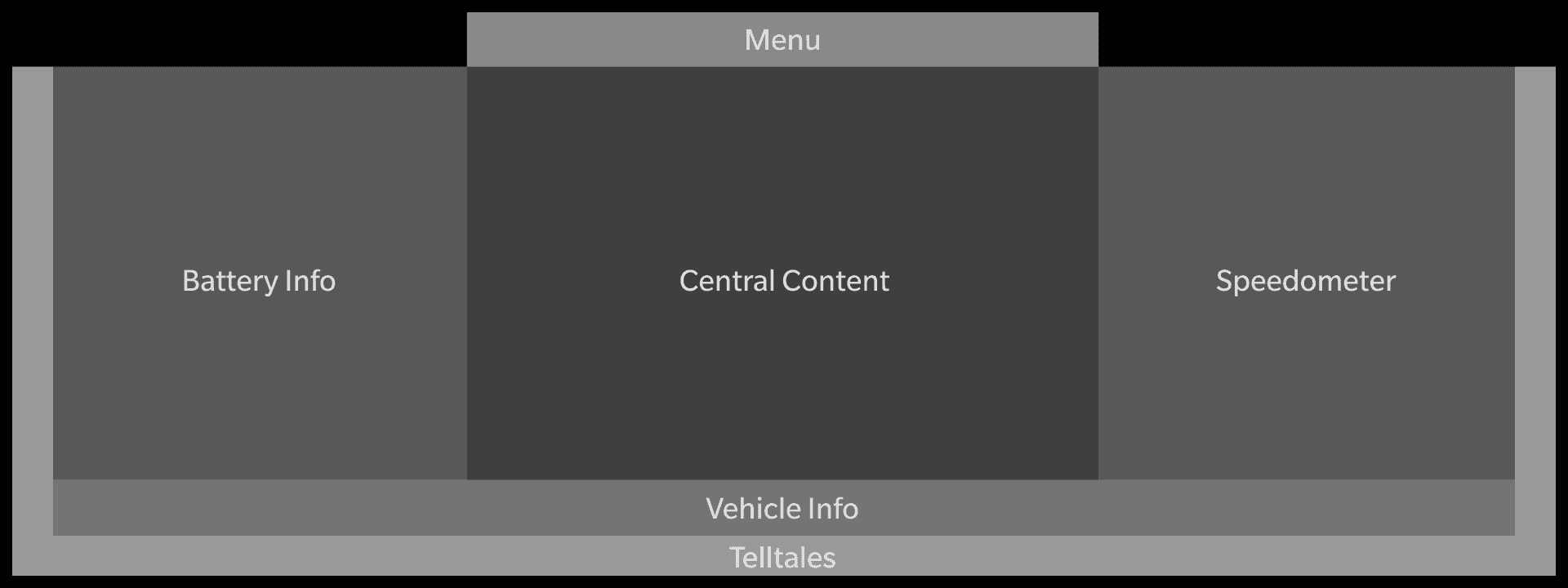
Functional grouping
Content mapping
Wireframe
PRODUCT
Simple customization
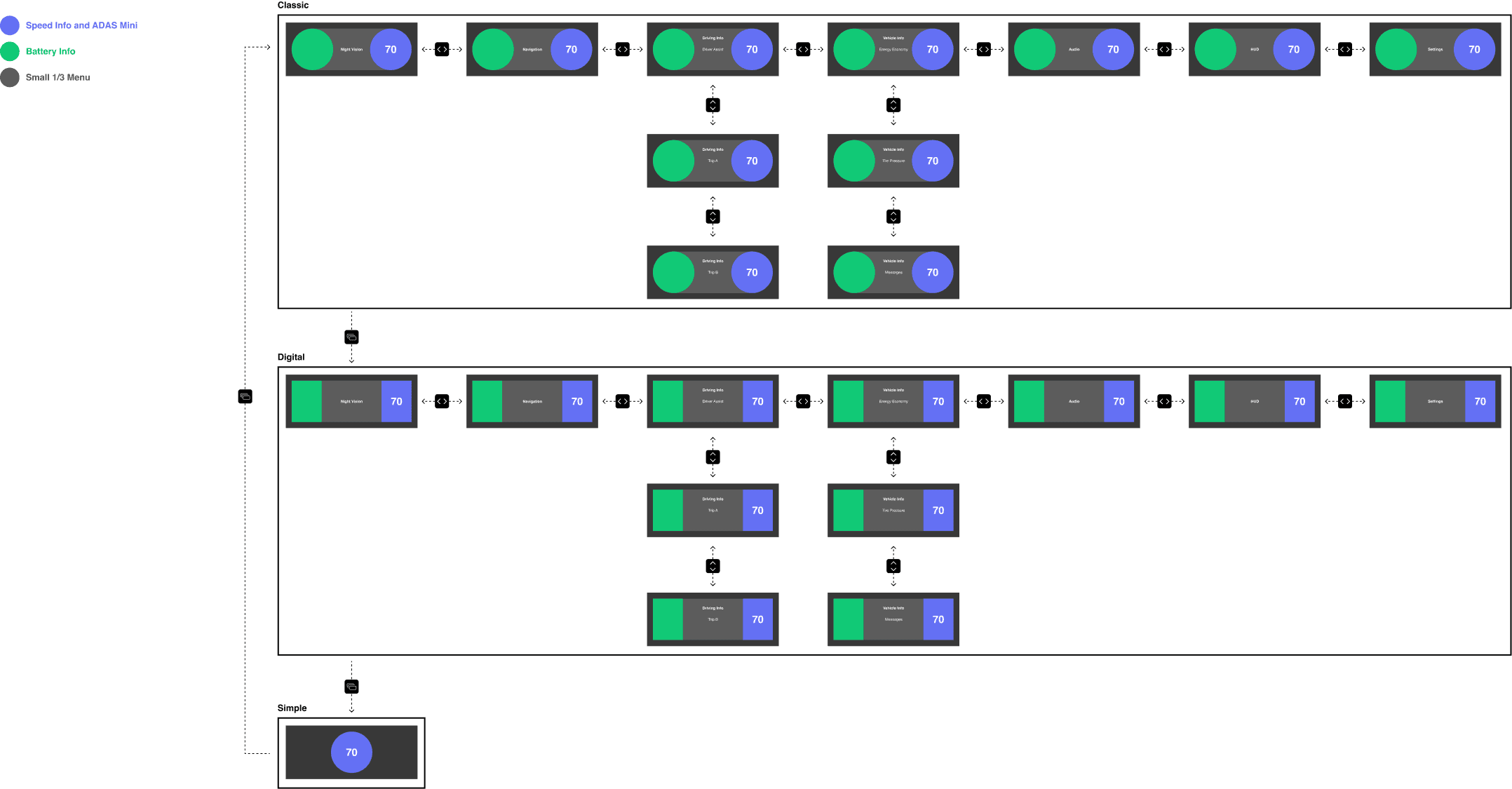
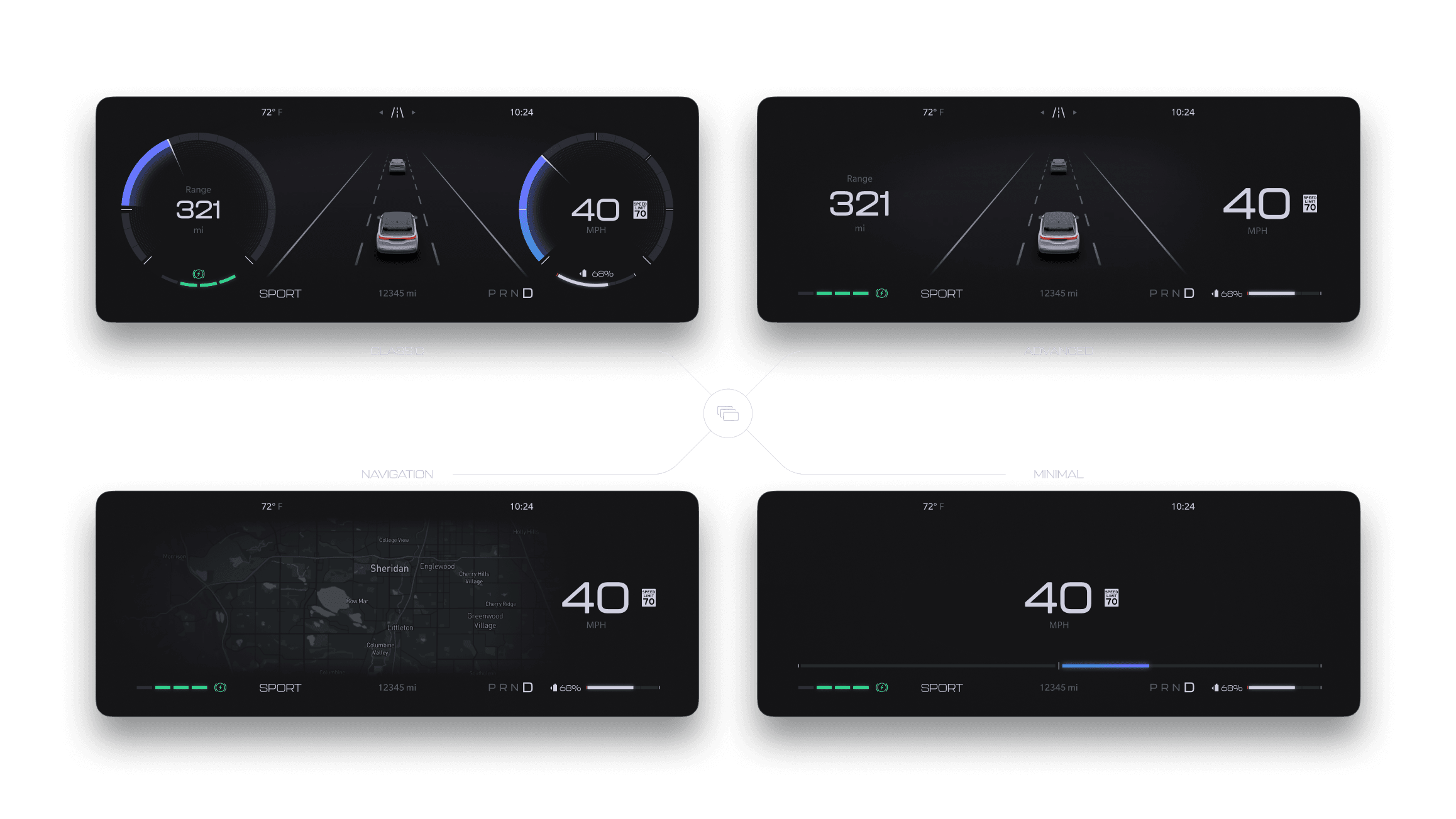
Customizing your cluster layout shouldn't require a degree in human factors engineering. Customers wanted an intuitive way to adjust their layout based on their driving habits. The "Layout" button is a one-button press toggle that allows the driver to cycle through up to 5 different driving layouts. This interaction was imperative to allowing brands flexibility and autonomy in their design. Brands can use core components to build their own layouts for unique driving experiences. Dodge chose layouts inspired by it's rich heritage in racing and performance while Jeep chose layouts that optimize the off-roading experience.
Overhauled menu
Less Noise
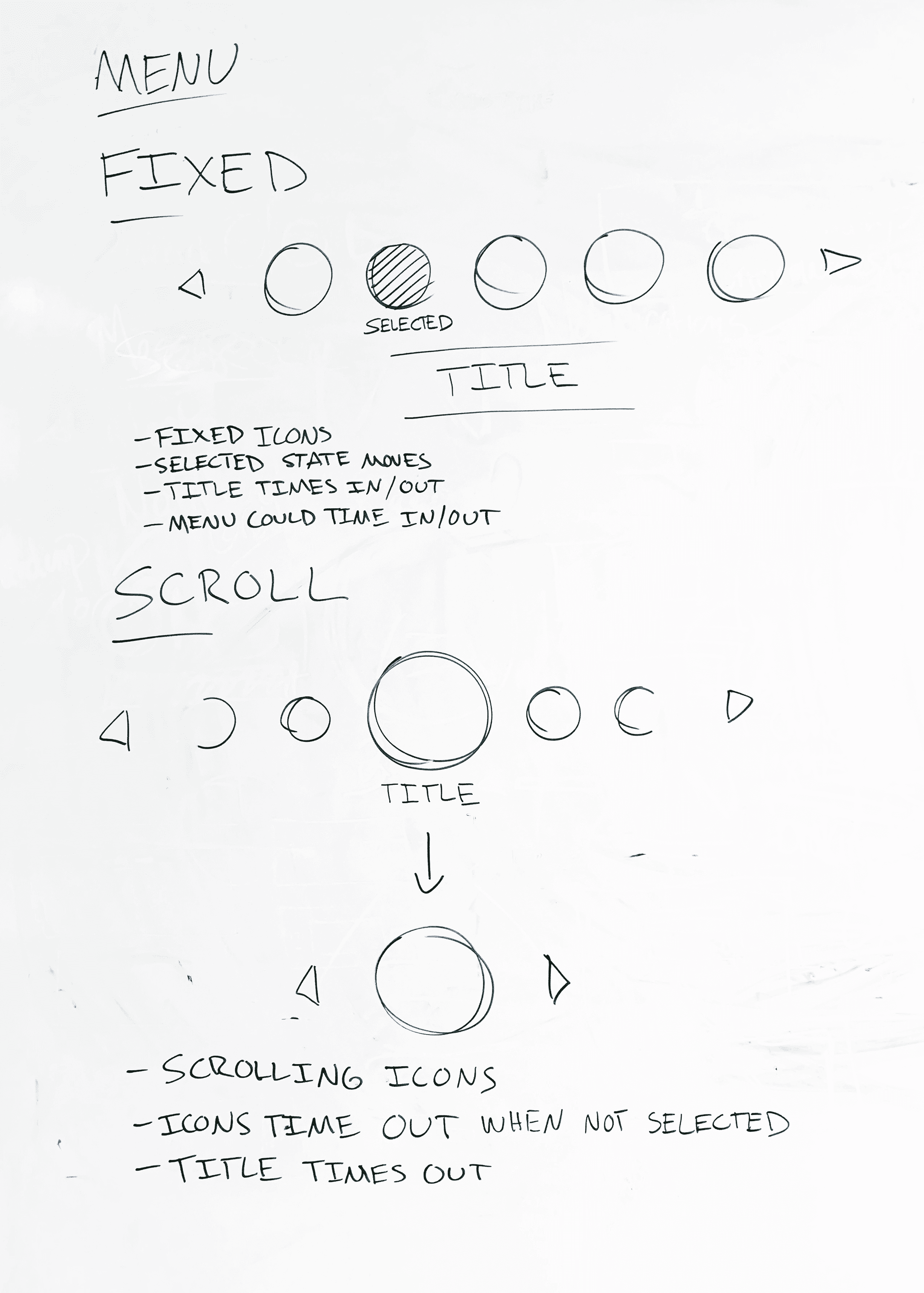
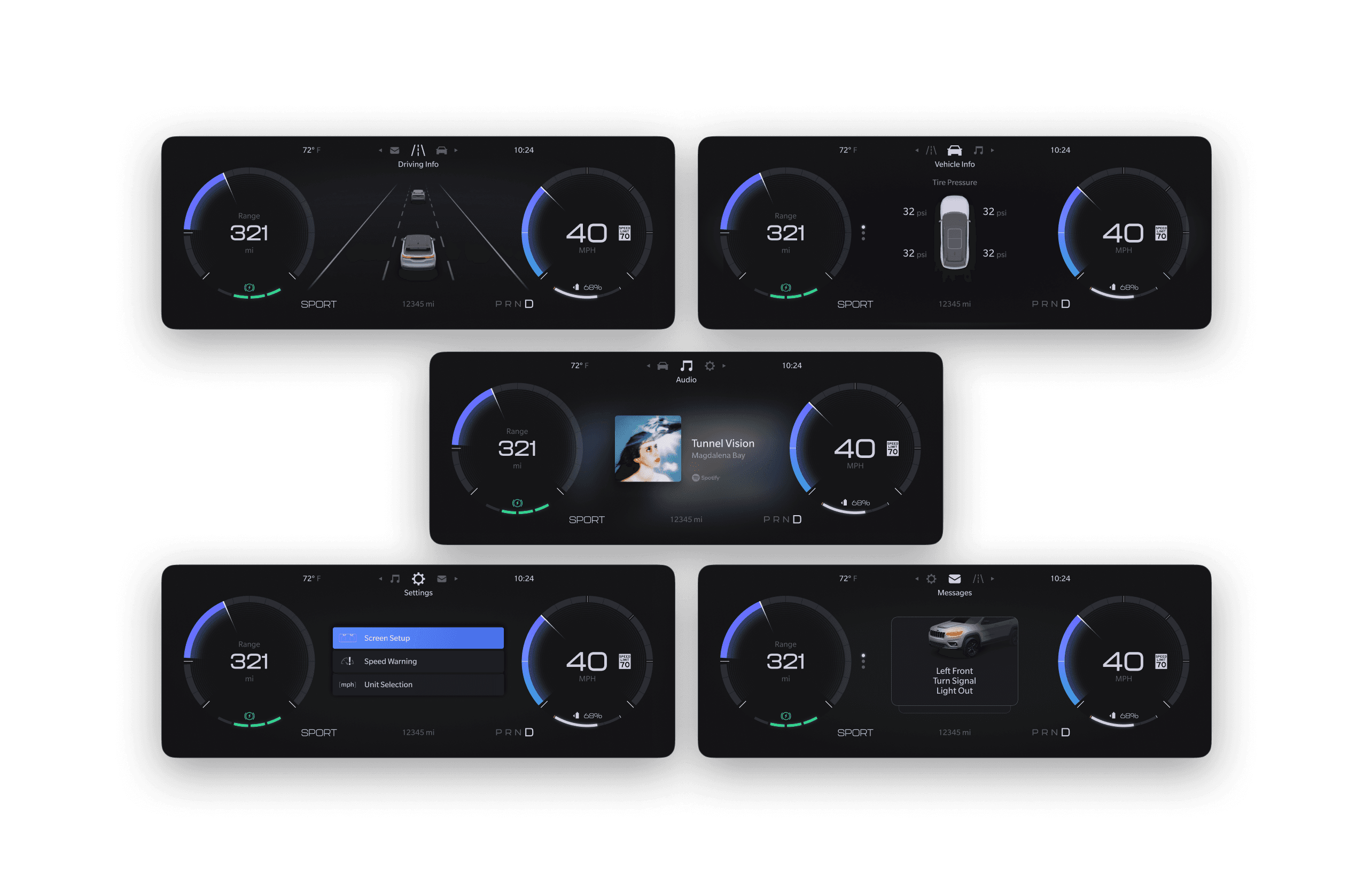
Legacy solutions included 50+ menu items across 12 different menu categories. We reduced menu bloat by over 50% by consolidating feature information into 6 categories and no more than 20 menu options. The user can navigate menus using the 5 way controller.
Intuitive Interaction
The user can now navigate menu categories horizontally, which is more consistent with other familiar digital interactions on web and mobile apps.
Start-up & telltales
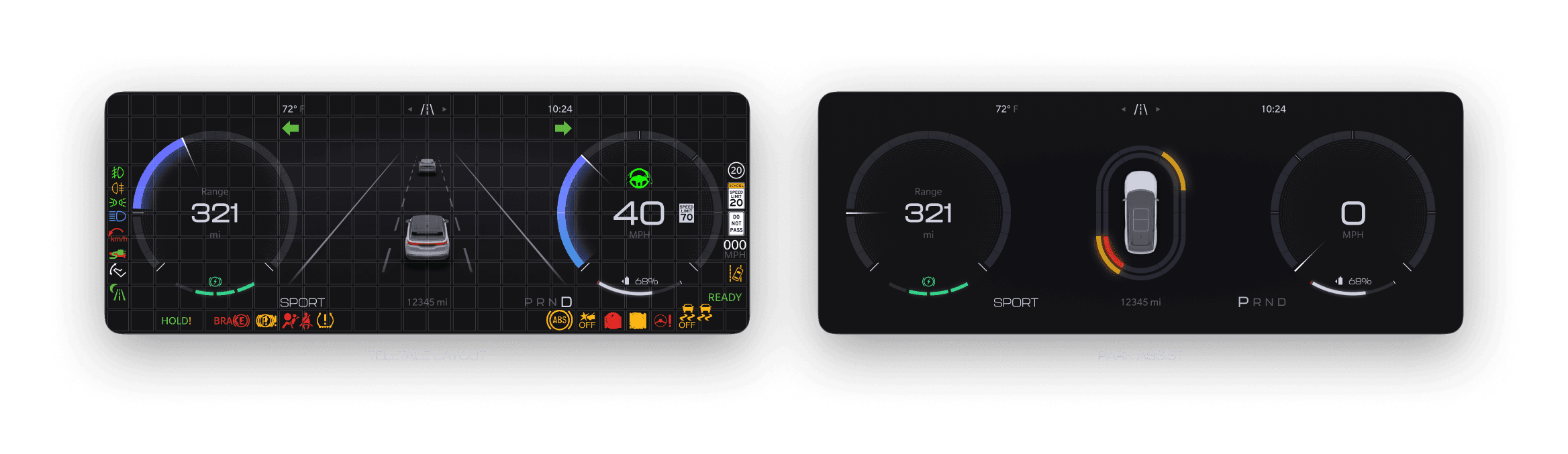
Perhaps the most complex and challenging feature of a driver display is the visual representation of telltales and ISOs. These icons all carry strong regulatory requirements and have unique behavior based on the features they apply to. We prioritized three goals when creating the telltale layout: regulatory compliance, functional grouping, and bulb-check positioning.
Messages
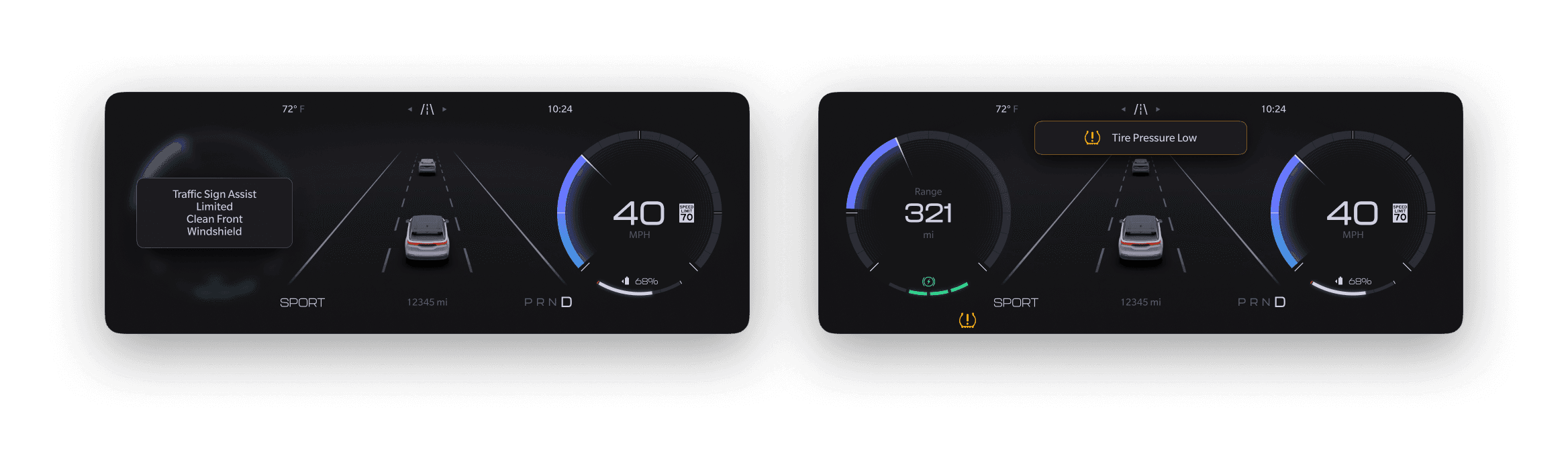
Over 1000 unique vehicle messages needed to be accounted for across all vehicles adopting our new framework. In previous executions, messages took over the entire display, causing major distraction and overlap on fundamental driving information. In order to improve this experience, I built two message zones strategically placed in locations that would not overlap on core info or be obscured by the steering wheel or cluster shroud. These messages included space for icons, images, or animations depending on the needs of each unique feature.
IMPLEMENTATION
3 brands, 5+ programs,
50k vehicles and counting
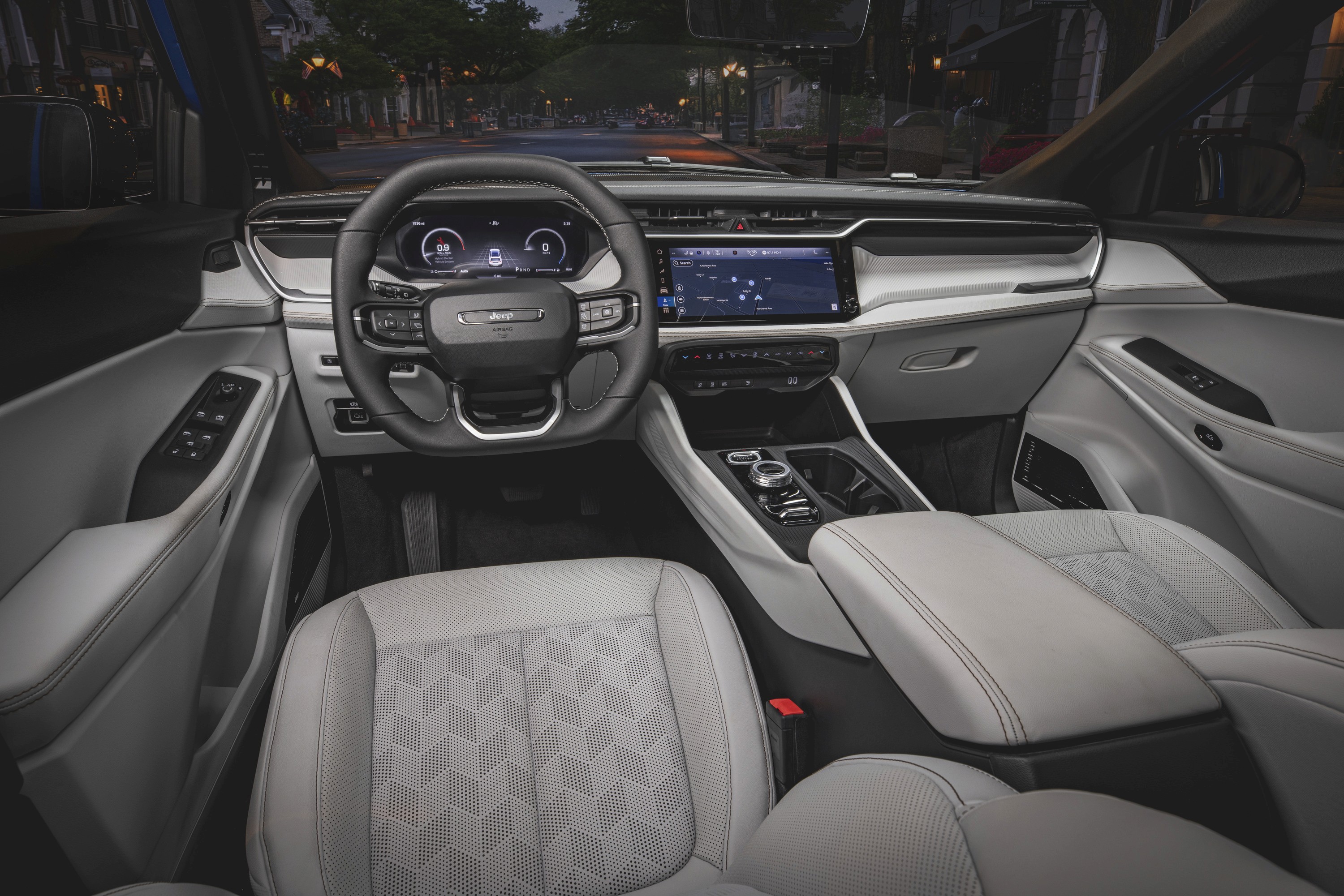
Brand hand-off
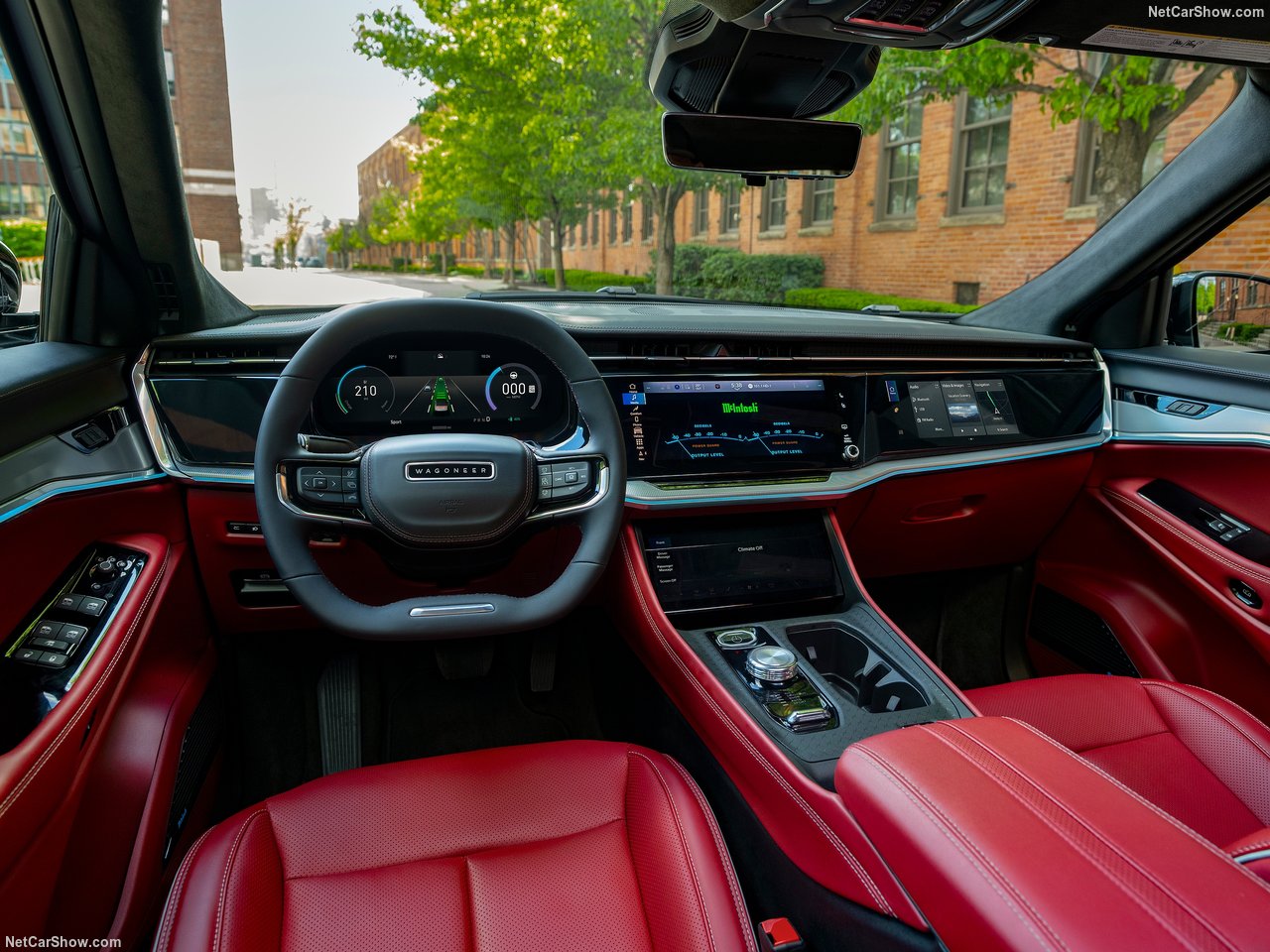
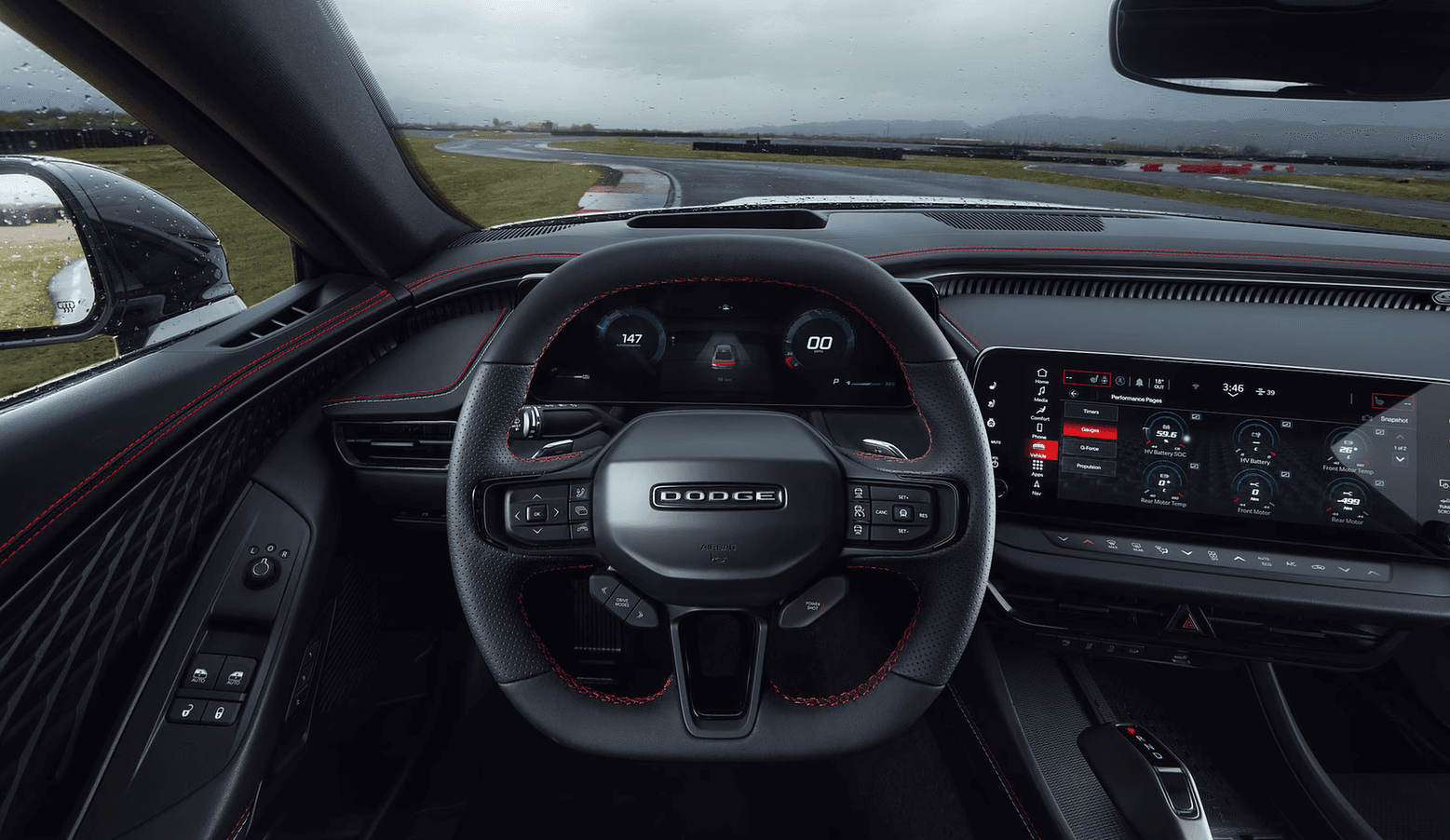
After over a year of concept development, testing, and validation, I handed off our new cluster concept to our brand UI designers for final implementation. Every vehicle presented unique challenges that I supported for the next two years.
© Cam Meyer Design